Creating a professional email address means replacing an address ending in @gmail.com with one on your own domain name, such as contact@your-business.com, and it comes down to three things: a domain name, an email provider that hosts the mailbox, and a few settings that connect the two. Expect anywhere from a few minutes to a full day depending on propagation, and a budget that runs from almost nothing, when the mailbox is included in your hosting, to around six euros per person per month for a full suite like Google Workspace or Microsoft 365. This article walks you through each step in plain words, compares the serious providers with their real 2026 prices, and explains the one setting that keeps your messages out of the junk folder.
What is a professional email address?
A professional email address is an email address that ends in your company’s domain name rather than a free service, so jean@durand-bakery.com instead of jean.durand82@gmail.com. It’s the same email mechanics, but the address carries your brand instead of Google’s or Microsoft’s, and that one detail is what makes it credible to a customer.

The difference is entirely about what follows the at sign. Before the at sign, you put whatever you want, a first name, a department or a role like contact or sales. After the at sign comes the domain, and that’s what tells people who you are. An address ending in @gmail.com signals to your reader that you didn’t bother, or didn’t know how, to register your own name, while an address on your domain shows an established business that owns its online identity and intends to last. On a quote, a business card or the bottom of an email, that address does some of the trust work before anyone even reads your message.
This matters more than it seems for a small operation. A tradesperson, a shop owner or an independent professional who writes from a generic address leaves a doubt, sometimes unconscious, about how serious and lasting they are. The same person writing from an address on their domain reassures instantly, because they’ve visibly invested in their image and will be found in the same place tomorrow. That credibility costs only a few euros a month, and it follows you everywhere you communicate, from the first contact all the way to the invoice.
Can you create a professional email address for free?
No, not in a lasting way on your own domain name. You can open a free mailbox with Gmail or Outlook, but it will always end in @gmail.com or @outlook.com, which is a personal address in disguise, not a professional one. For a real address on your domain, you first need a domain name, and a domain is rented by the year, which rules out staying free over time.

Some offers promise a free professional address, and you should read the fine print before trusting them. The free offer usually covers the first year of the domain name, thrown in when you take out hosting, and then renewal becomes paid again the following year. Other services say free but push advertising into your messages or lock you onto a platform from which you can’t take your address elsewhere. For a simple personal test, these solutions get you by, but for a business that will print this address on its documents for years, they end up costly in image and freedom.
The good news is that a solid address stays very cheap. A mailbox included in web hosting you already pay for costs nothing extra, and a standalone mailbox at a serious host runs around one to two euros a month. If you’re starting from scratch, the honest spend is to register your domain name, attach a mailbox to it, and treat those few euros a month as the price of your credibility rather than a cost to avoid. I lay out the real prices of domains and hosting in my article on domain names and web hosting.
How to create a professional email address, step by step
Creating a professional email address comes down to three steps: register a domain name, choose a provider that will host the mailbox, then create the address and connect it to your devices. The whole thing takes a few minutes of clicking, plus some waiting time for the domain settings to spread across the internet, often under an hour and up to a day in the slowest cases.
The first step is the domain name, because it’s what appears after the at sign and nothing works without it. You register it with a registrar or a host, for around ten euros a year, choosing your company name and an extension that speaks to your customers, such as .com for a broad audience or a country extension for a local one. If you’re unsure about that choice, take the time to get it right, because you’ll keep this address for a long while, and I guide you through it in my article on how to choose a domain name.
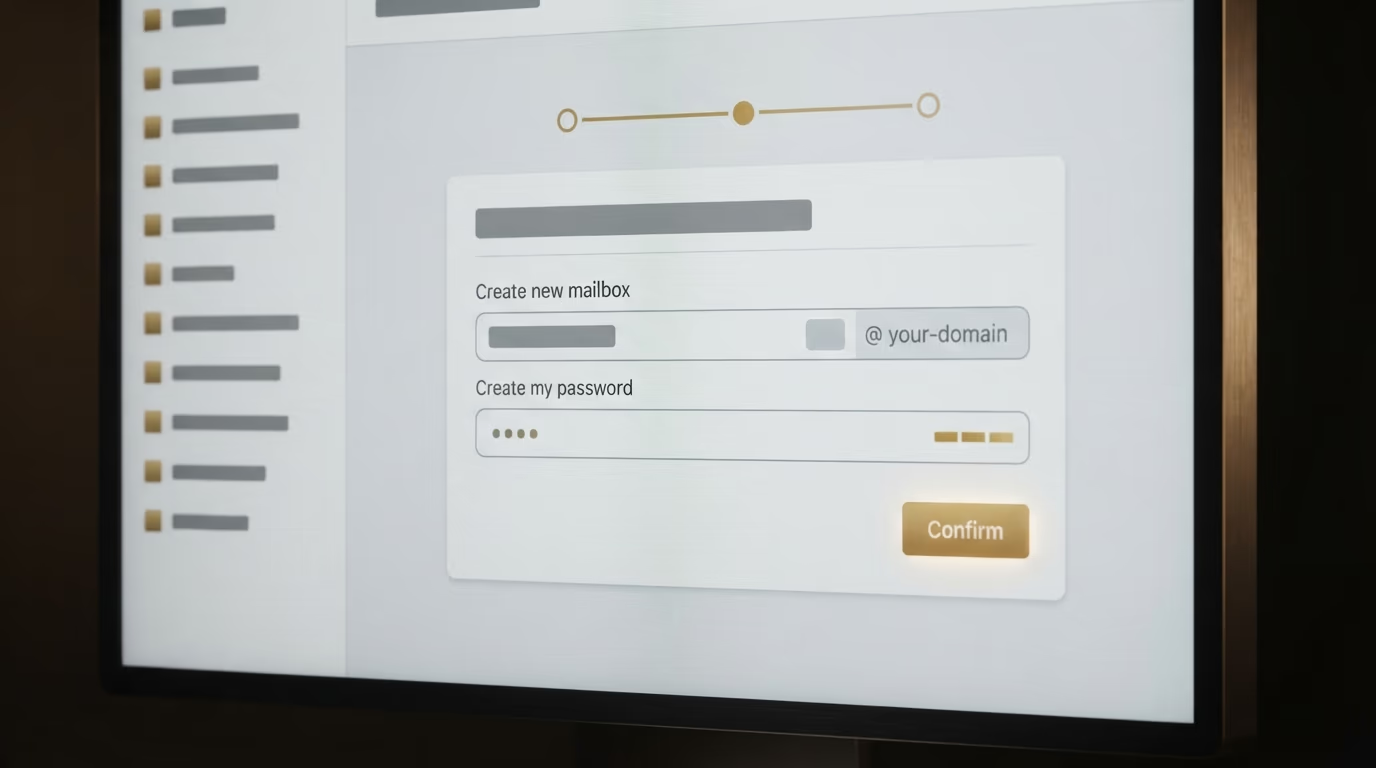
The second step is to choose the service that will host your mailbox, then attach your domain to it. In practice, you subscribe to the email plan, and the provider asks you to confirm the domain is yours and to add a few lines of settings, often in one click when the domain and the mail service sit with the same company. Those lines tell the internet where to deliver messages addressed to your domain, a bit like forwarding your post to a new mailbox. The third step is the quickest: in the admin panel, you create the address by typing its start, for example contact, you set a strong password, and the mailbox exists. All that’s left is to add it to your phone and your usual mail program, using the settings the provider gives you, so you can send and receive everywhere.
Do you need a website to have a professional email address?
No, a website isn’t required to create a professional email address. You just need to own a domain name and attach a mailbox to it, without ever publishing a single page. Many professionals start by registering their domain purely for their addresses, before they even have a site online.

That said, keeping your address separated from your site for the long run isn’t the most comfortable situation. When someone gets an email from contact@your-business.com, their first reflex is often to type your-business.com into their browser to see who you are, and it’s better they land on a real site than on a blank page or an error message. Your address and your site then speak with one voice, on the same domain name, and that consistency builds trust instead of chipping at it. A professional address pointing to nothing sends a mixed signal, the opposite of the intended effect.
The healthiest setup is therefore to own your domain name with a real site on it, and to create your addresses on that same domain. You keep control of the whole thing, your address stays yours even if you switch hosts or providers later, and you avoid being locked into a site builder that would also control your email. If you’re starting from scratch, setting up the site and the addresses together saves you from redoing everything later.
Which provider should you choose, and what does it cost?
The best professional email provider depends on your tools and your requirements, not on a single ranking. For one or two clean, cheap addresses, a mailbox at a French host is enough. To have your email tied into a calendar and shared documents, a suite like Google Workspace or Microsoft 365 makes sense. Here are the serious options with their real prices, checked late August 2026.

| Solution | Price (late Aug 2026) | Based | For whom |
|---|---|---|---|
| Mailbox included with web hosting (OVHcloud MX Plan, o2switch) | usually included in the hosting | France | You already have a site or hosting |
| Standalone mailbox at a host (OVHcloud Email Pro) | from 1.59 € excl. VAT per month per account | France | You want one or two simple addresses |
| Infomaniak Service Mail | from 1.80 € per month for 5 addresses | European company | You want data hosted in Europe |
| Google Workspace (Business Starter) | 5.75 € per user per month, annual plan | US company | You want Gmail, Calendar and Drive too |
| Microsoft 365 (Business Basic) | 6.07 € excl. VAT per user per month, annual plan | US company | You already work with Outlook and Office |
The smart first move, when you already have hosting for your site, is to look at the mailboxes it includes, because they’re often free or covered by the plan you already pay for. Most hosts give you at least a few addresses on your domain at no extra charge, and that easily covers what an independent or a small team needs. You then pay nothing more for email on your own name, which is hard to beat.
If you’re starting without hosting or you want a separate mail service, a standalone mailbox at a host is the most economical route, around one to two euros a month. Hosts like OVHcloud and Infomaniak have the advantage of keeping your data in Europe, a reassuring point for many businesses. Google Workspace and Microsoft 365 cost more because they sell far more than a mailbox, with a calendar, storage and office tools built in; they’re US companies that now offer data centres in Europe while remaining subject to US law. The right choice is to start from what you already use day to day rather than hunting for the perfect provider in the abstract.
How to choose the name of your professional email address
The name of a professional email address, what comes before the at sign, should be short and easy to dictate over the phone, because you’ll repeat it often. The two formats that work best are the role address, like contact@your-business.com, and the personal address in the firstname.lastname format, like marie.durand@your-business.com. The rest is mostly a matter of common sense and staying consistent across all your addresses.

Role addresses are perfect for the public contact points of your business, the ones you show on your site and your documents. A contact address is the general front door, a sales or orders address routes commercial requests, and an invoicing address centralises the accounting. Their big advantage is that they outlive people: if your assistant changes, the contact address keeps working and nobody loses the thread. Keep a consistent line, pick English or your local language once and for all, and avoid piling up ten role addresses you’ll never actually check.
Personal addresses suit named exchanges, when a client wants to write straight to the right person. The firstname.lastname format is the clearest and the most guessable, which helps your correspondents find your address without asking. Stay away from nicknames, strings of numbers and obscure abbreviations, which throw away all the seriousness the domain name had just brought. An address like jdurand-pro-2026@ sends exactly the wrong signal. Keep it simple, keep it readable, and apply the same pattern to your whole team so your addresses form one clean set.
Why your emails land in spam, and how to avoid it
If your professional messages end up in your clients’ junk folder, it’s almost always because your domain lacks the three settings that prove to other mail services that you’re the legitimate sender. Those three settings are called SPF, DKIM and DMARC, and without them Gmail or Outlook get suspicious of your mail and file it in the wrong place, whatever the quality of your message.

These three pieces are simpler than they sound once translated. SPF is a note added to your domain’s settings that lists the servers allowed to send mail in your name, a bit like a list of people cleared to sign for you. DKIM is an invisible signature added to every message, proving it really came from your domain and wasn’t altered on the way. DMARC is the instruction telling receiving mail services what to do with a message that fails those checks, for example reject it or flag it. Together they reassure the mailbox reading you that you really are who you claim to be.
The good news is that you almost never have to touch these settings by hand. Serious providers, whether a French host, Infomaniak, Google Workspace or Microsoft 365, put them in place automatically when you attach your domain, and everything works without you noticing. Trouble mostly comes from cheap offers, rushed configurations or cases where you send mail from a poorly declared third party tool. So if your messages land in spam, the first thing to check is that these three settings exist for your domain, something a competent provider verifies in a few minutes. That care for the technical backstage is the same care that makes a site load fast and climb in Google, a subject I cover in my article on how to rank your website on Google.
Create your professional email address without losing a day
A professional email address rests on one idea: own your domain name, then attach a mailbox to it at a serious provider who handles the technical settings for you. The rest, the name format, the choice between a host mailbox and a full suite, the connection to your phone, is sorted in about an hour once that base is set. For a few euros a month, you gain an address that inspires trust from the first contact and stays yours, year after year.
The real trap isn’t technical, it’s scattering: a domain registered here, a mailbox configured there, a site built somewhere else, and nobody keeping the overall view. The fix is to bring the domain name, the site and the professional addresses under one identity that belongs to you.